Keeps count, stays on-device.
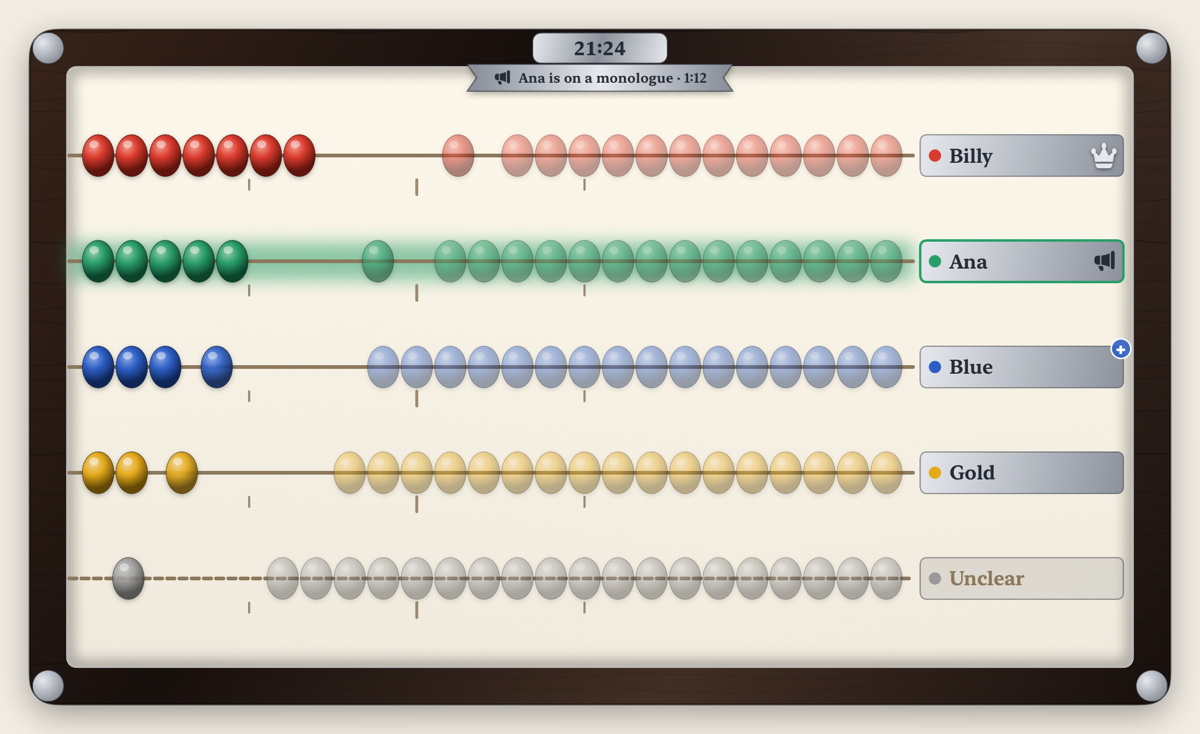
Every conversation has a main character. Blabacus listens through the microphone of your Mac, iPhone, or iPad, tells the voices apart, and shows each person's share of the talking on a hand-crafted abacus you can read from across the room.
Free. Private. On-device.
Your conversations never leave your Mac, iPhone, or iPad. No accounts, no tracking, no ads, and it never connects to the internet. Audio is never recorded or stored.
State-of-the-art AI on the Neural Engine
Telling who is talking in a live room used to take a server. Blabacus does it on your device, in real time, with two small open models and its own way of putting them together:
- When someone speaks: NVIDIA Nemotron 3 streaming diarization hears speech, turn-taking, and overlap for up to 8 voices. It runs on the Apple Neural Engine, the low-power AI accelerator in Apple silicon: about 30 times faster than real time on a Mac, and faster still on a recent iPhone or iPad.
- Whose voice it is: WeSpeaker voice embeddings turn each stretch of one person's speech into a compact voiceprint, at about 2% of one CPU core on a Mac.
- Putting them together: the first is trusted for when, the second for who. A new voice is shown once it sounds consistent, so a passing cough is rarely taken for a person, and since nobody can talk over themselves, a voice that noise splits in two is usually put back together.
Both models ship inside the app: nothing is downloaded, and no audio leaves your device. Most accurate with two to four people.
Requires a Mac with Apple silicon and 16 GB of memory, on macOS 26 or later; or an iPhone or iPad on iOS 26 or iPadOS 26 or later.
Features
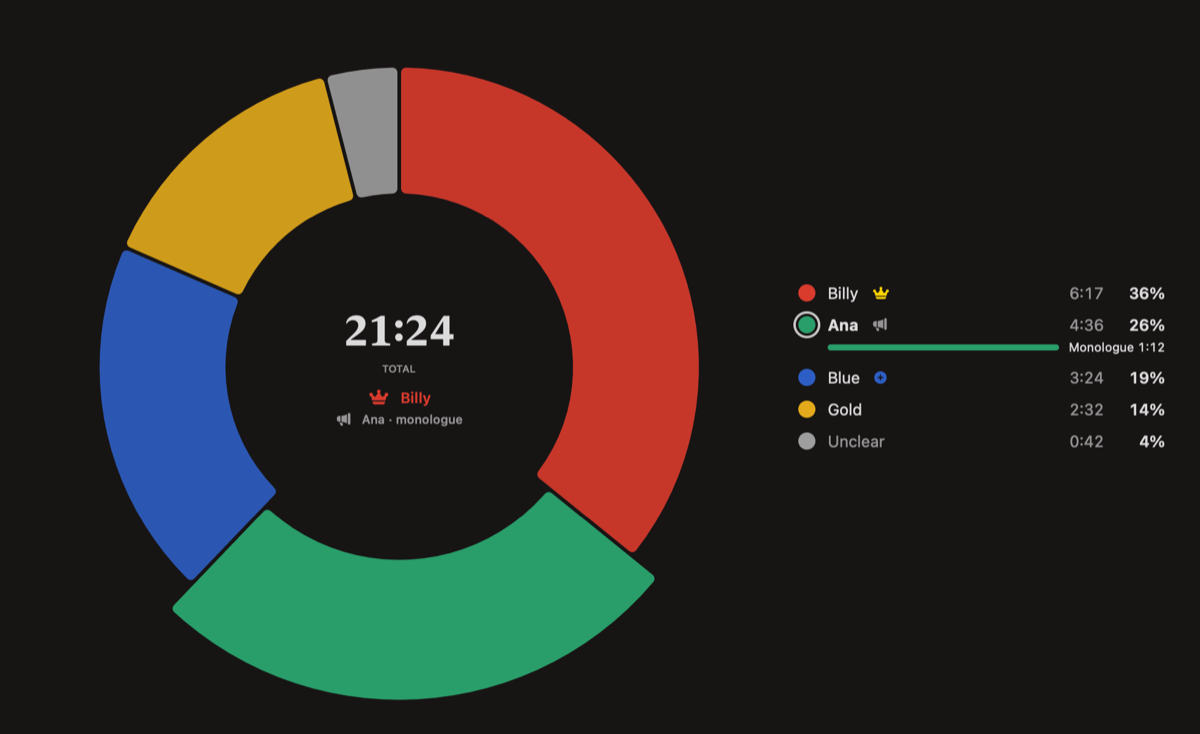
- Abacus view for a glance, pie view for the numbers.
- Monologue detection: notices when someone holds the floor while everyone else just says "mm-hm".
- Learns voices you choose to name, and recognizes them next time.
- On the Mac, Mini View: a small floating window in the corner of your screen, or just the menu bar.
- On iPhone and iPad, lay it on the table: the screen stays on during a session, so everyone can see it (you can turn this off in Blabacus's Settings).
Available on the App Store for Mac (macOS 26, Apple silicon), iPhone, and iPad (iOS 26 and iPadOS 26).